> ## Documentation Index
> Fetch the complete documentation index at: https://arize-ax.mintlify.site/docs/llms.txt
> Use this file to discover all available pages before exploring further.
# Online Code Evaluators
> When deterministic code beats an LLM judge — how code evaluators work, their built-in templates, and what custom Python classes look like.
An **online code evaluator** is platform-managed evaluation where the runtime is Python, not an LLM. The platform still handles triggering, sampling, filtering, and joining results back to spans — just like an [LLM-as-a-judge](/ax/concepts/evaluators/online-llm-as-judge) — but the scoring logic is deterministic code you write or pick from a built-in template.
This page covers what code evaluators are, when to choose them, and what the custom-evaluator shape looks like. For the click-by-click UI walkthrough, see [Code evaluations](/ax/evaluate/evaluators/code-evaluations).
# When code beats a judge
Code is the right runtime when the question can be expressed as a deterministic check. The litmus test:
> Could two people, given the same span attributes and the same rubric, ever disagree on the answer?
If the answer is *no* — the check is purely mechanical — then a code evaluator is the right choice. It will be cheaper, faster, more reliable, and easier to debug than an LLM-as-a-judge for the same question.
Examples that are deterministic checks:
* Does the response contain any of these forbidden keywords (a competitor's name, a slur, an internal codename)?
* Does the JSON in the response parse, and does it have the expected shape?
* Does the tool call use the correct parameter names?
* Is the response length under a hard limit?
* Does the SQL the agent generated parse?
* Does the URL the agent emitted resolve to an allow-listed domain?
Examples that are *not* deterministic checks (use LLM-as-a-judge instead):
* Is the response helpful?
* Does the response stay on topic?
* Is the tone professional?
* Is the response factually correct given the retrieved context?
* Is the chain of tool calls coherent?
A useful pattern is to **stack** them: a cheap code evaluator pre-filters or validates the shape, then an LLM-as-a-judge handles the subjective scoring on what passes the code check. This keeps the LLM-as-a-judge cost down by not asking it questions code could answer for free.
# Two ways to author a code evaluator
The platform exposes two paths for code evaluators:
## Built-in templates
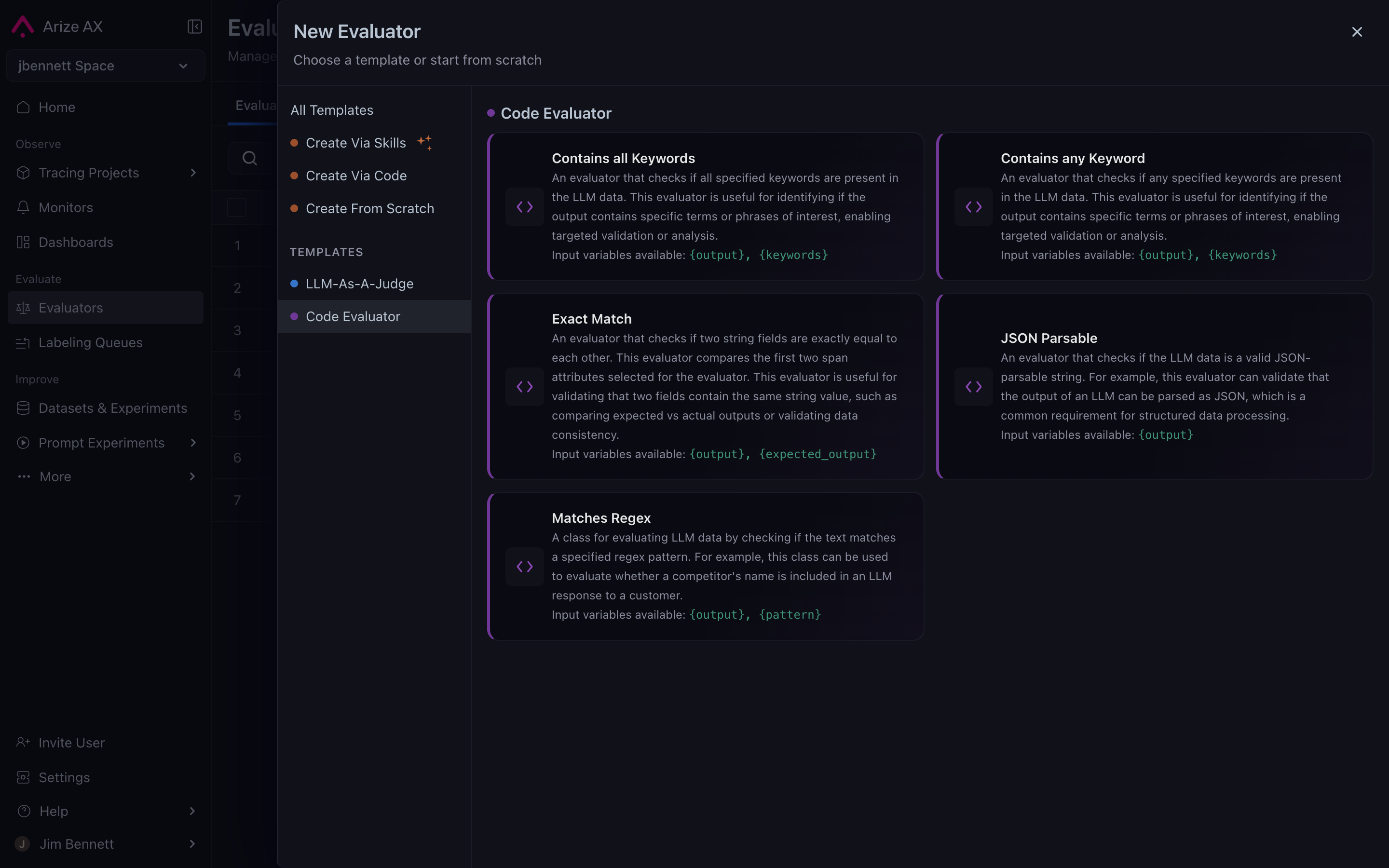
A library of pre-built code evaluators that cover common deterministic patterns. The most common ones:
* **Contains any keyword** — flags spans whose output (or another attribute) contains any string in a configured list. The classic competitor-name-detector.
* **JSON shape validator** — flags spans whose output isn't valid JSON, or doesn't match a configured schema.
* **Regex match** — flags spans matching a configured pattern.
* **Numeric threshold** — flags spans where a numeric attribute is above or below a threshold (latency, token count, custom metrics).
Built-in templates require no code — you configure the parameters in the UI, and the platform supplies the underlying scoring logic. The CLI flag that creates this type of task is `--task-type code_evaluation`.
## Custom Python class
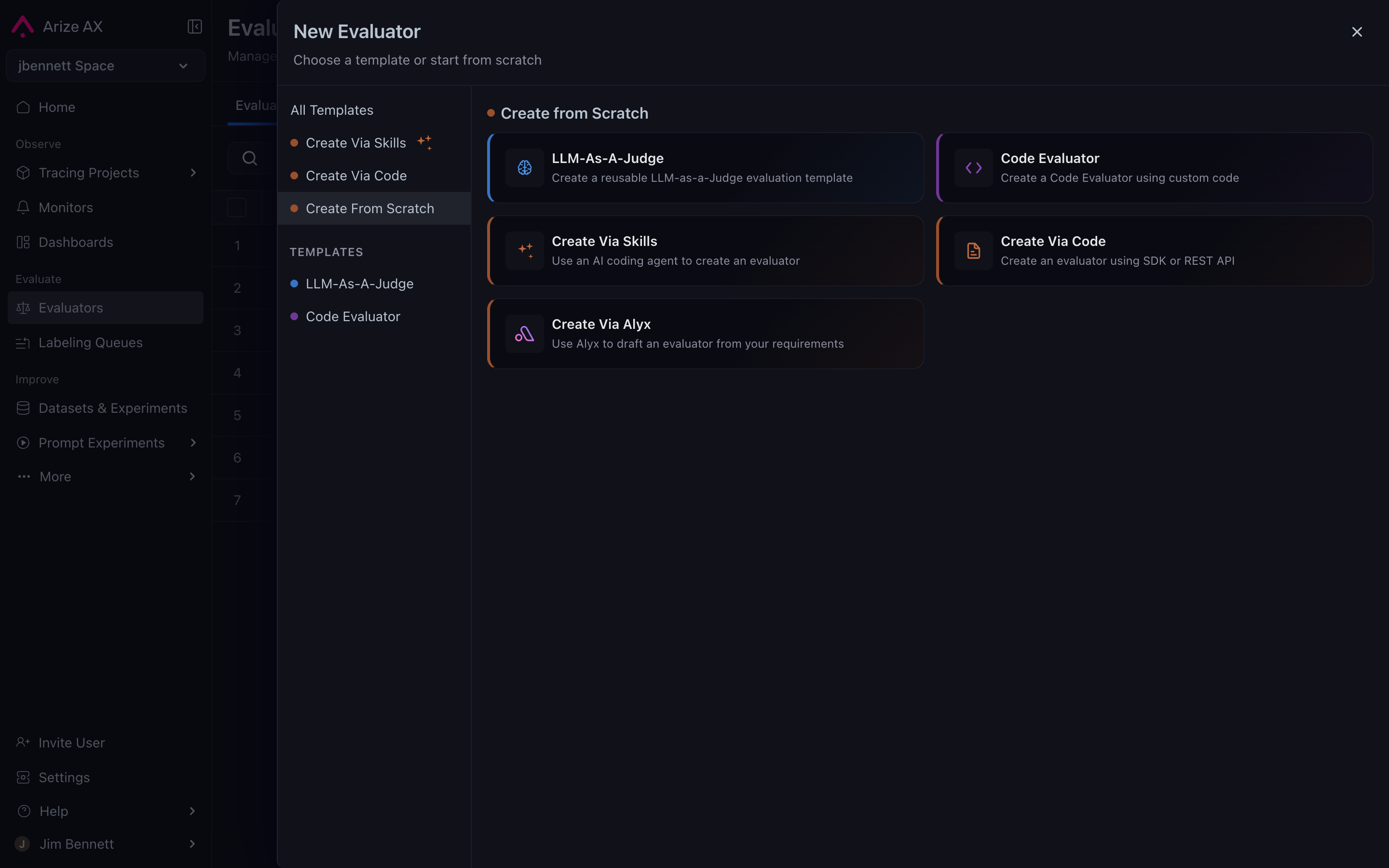
When the built-in templates don't cover your question, you can write a custom evaluator as a small Python class. The shape of the class is fixed by the platform. The custom path is reached by choosing **Create From Scratch** from the New Evaluator dialog, which then lets you pick an authoring surface — including handing the work to [Alyx](/ax/alyx) if you'd rather describe what you want than write the class by hand:
The class shape itself looks like this:
```python theme={null}
# Illustrative — see the Code Evaluations how-to for the full editor surface
class Evaluator:
def evaluate(self, span) -> EvaluationResult:
# Read whatever you need from span attributes
output = span.attributes["output.value"]
# Apply your deterministic logic
if "forbidden_phrase" in output.lower():
return EvaluationResult(
label="flagged",
score=0,
explanation="Output contained the forbidden phrase.",
)
return EvaluationResult(label="ok", score=1)
```
Three things to understand about the custom-evaluator shape:
* **Input is a span object.** The evaluator reads `span.attributes`, which is the same structure that lands in the trace tree. Trace and session evaluators see a wrapper that contains multiple spans, but the principle is the same.
* **Output is an `EvaluationResult`.** Same anatomy as every other evaluator — label, score, optional explanation. See [Anatomy of an evaluator](/ax/concepts/evaluators/anatomy-of-an-evaluator).
* **The runtime is the platform's, not yours.** You write the class; Arize AX runs it. The execution environment is platform-managed, so the set of available imports and runtime affordances is constrained — the [Code evaluations](/ax/evaluate/evaluators/code-evaluations) how-to documents what's currently available.
For the full editor surface and the available imports, see [Code evaluations](/ax/evaluate/evaluators/code-evaluations).
# What the platform manages
A code evaluator gets the same managed-orchestration story as LLM-as-a-judge:
* Triggering on new traces (continuous cadence) or on demand (historical batch).
* Filtering via [task and evaluator data filters](/ax/concepts/evaluators/filters-scope-and-cadence).
* Sampling.
* Joining results back to the originating span as `eval..*` attributes.
The thing that changes vs. LLM-as-a-judge is **cost and latency**. Code evaluators don't make LLM calls. They run essentially for free, in microseconds. This makes them the right choice for high-volume continuous evaluation when the question is deterministic — you can run code evaluators at 100% sampling on every span in production without worrying about the bill.
# Code evaluators as guardrails
A common pattern: use a code evaluator as a runtime guardrail, not just a post-hoc scoring tool. The evaluator runs continuously on new traces, the score lands as a span attribute, and downstream alerts (in Arize AX or in your alerting system) fire when the score crosses a threshold.
The classic example is the competitor-name filter — a code evaluator that scores `0` whenever the chatbot mentions a competitor by name. It runs on 100% of production traces; any non-zero count over a five-minute window pages someone. That's faster, cheaper, and more reliable than asking an LLM-as-a-judge the same question.
***
## Next step
Both online evaluator types — LLM-as-a-judge and code — share the same surface for deciding *which* spans get evaluated and how often. The next page covers filters, scope, and cadence: