

The three parts of an experiment
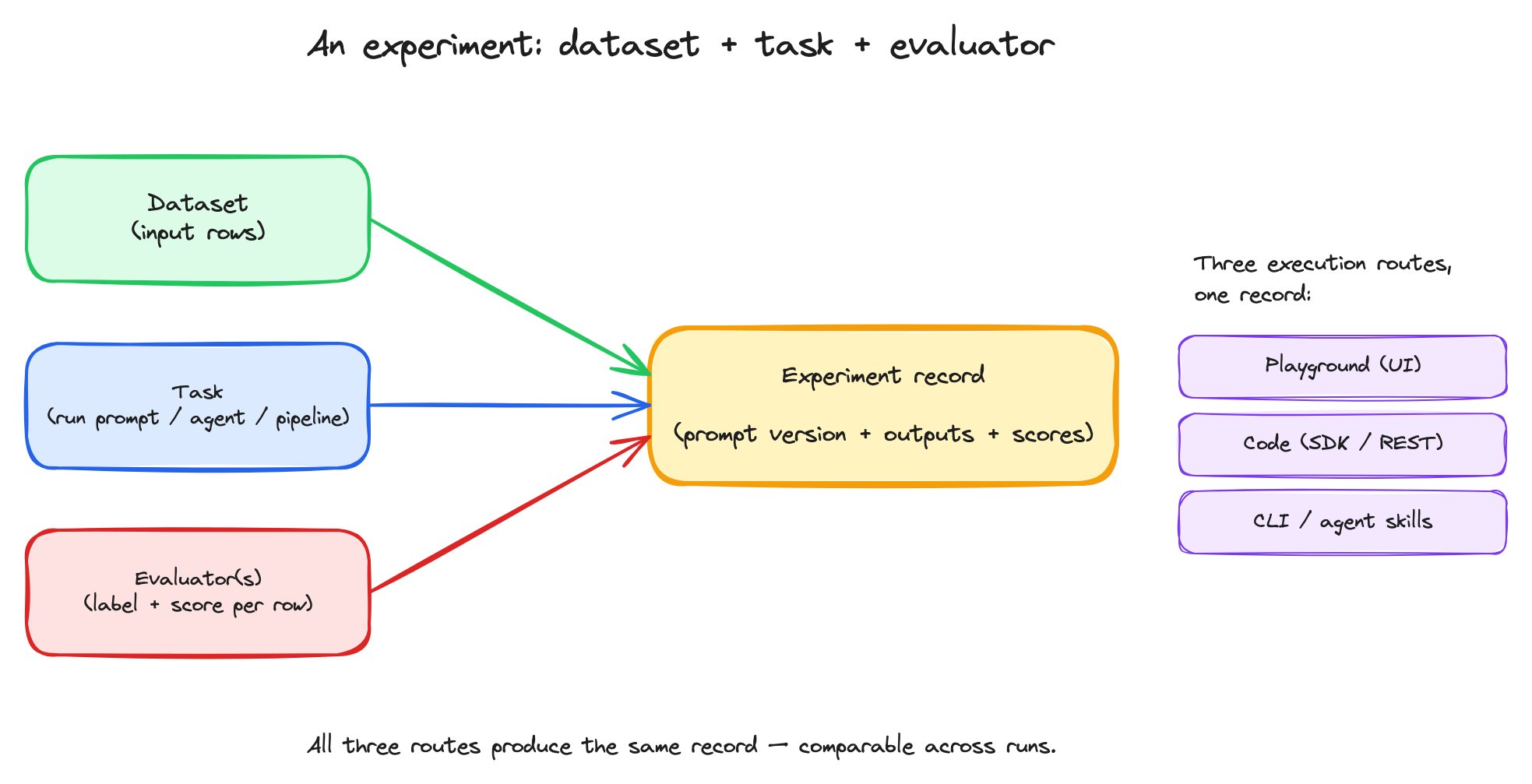
An experiment combines three things — a dataset, a task, and one or more evaluators — into one comparable record.
An experiment run is one execution of the (dataset × task × evaluators) tuple. The record captures every row’s input, the task’s output, every evaluator’s score, plus run-level metadata (duration, who ran it, when, against what prompt version).
Three execution routes, one record
You can run an experiment three ways. All three produce the same kind of record — same dataset, same task definition, same evaluator outputs — and they all show up in the same Datasets and Experiments view.
The fact that all three routes produce the same record is what makes the loop trustworthy. A run that was kicked off interactively in the Playground is comparable to a run that came from a CI script, which is comparable to a run from a teammate’s notebook.
What comparability buys you
Two experiment runs on the same dataset are directly comparable. You can:- Diff outputs side-by-side — see exactly which rows the new prompt handled differently.
- Read evaluator deltas — accuracy went from 0.62 to 0.78; what does that look like row-by-row?
- Spot regressions — which rows did the old prompt get right that the new prompt now gets wrong?
- Read summary metrics by run — overall pass rate, mean score, distribution of labels.
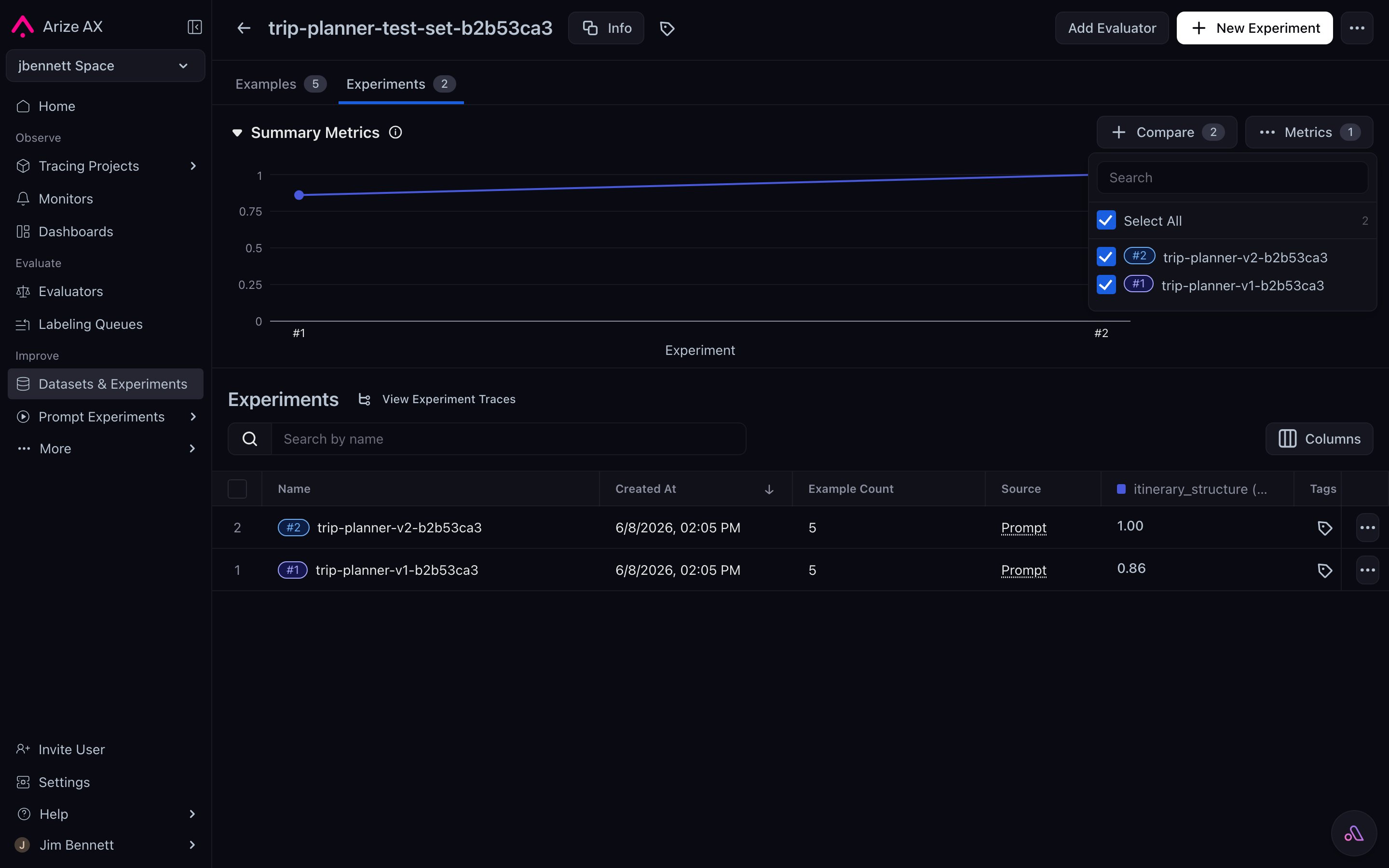
A dataset's Experiments tab — two prompt-version runs against the same data, with a Summary Metrics chart showing the score trend, the rows of each run in the table, and the Compare picker to open the side-by-side view.
The role of the prompt version
Every experiment run records which prompt version it tested — by hash. That hash is permanent. Two implications:- Re-runs are reproducible. If you re-run an experiment from three weeks ago against the same dataset and evaluators, the same prompt version comes back from the Hub. Same inputs, same task, same evaluators. The only thing that should differ is non-determinism in the LLM itself.
- Experiments are auditable. A bug report against a specific experiment run points to a specific prompt version. You can load that version into the Playground, reproduce the bad row, and iterate without guessing what was actually deployed.
Saving runs back to datasets
When you run a prompt experiment in the Playground, the outputs and eval scores can be saved back as columns on the dataset. Each Playground run is timestamped and tagged with the prompt version. Subsequent runs add more columns alongside. The dataset becomes a growing record of how every prompt version performed on the same rows. Over time, that’s the most useful artifact you have for understanding the evolution of a prompt — you can see at a glance which versions improved which rows.When the task isn’t just “run the prompt”
For most prompt experiments, the task is a one-liner: render the prompt against the row’s variables, call the LLM, return the output. But the experiment framework treatstask as arbitrary — it can be:
- A multi-step pipeline (retrieve, render, call LLM, post-process).
- A whole agent (route, plan, call tools, summarize, return).
- A wrapper around an existing application endpoint.
task wraps.